Dashboard
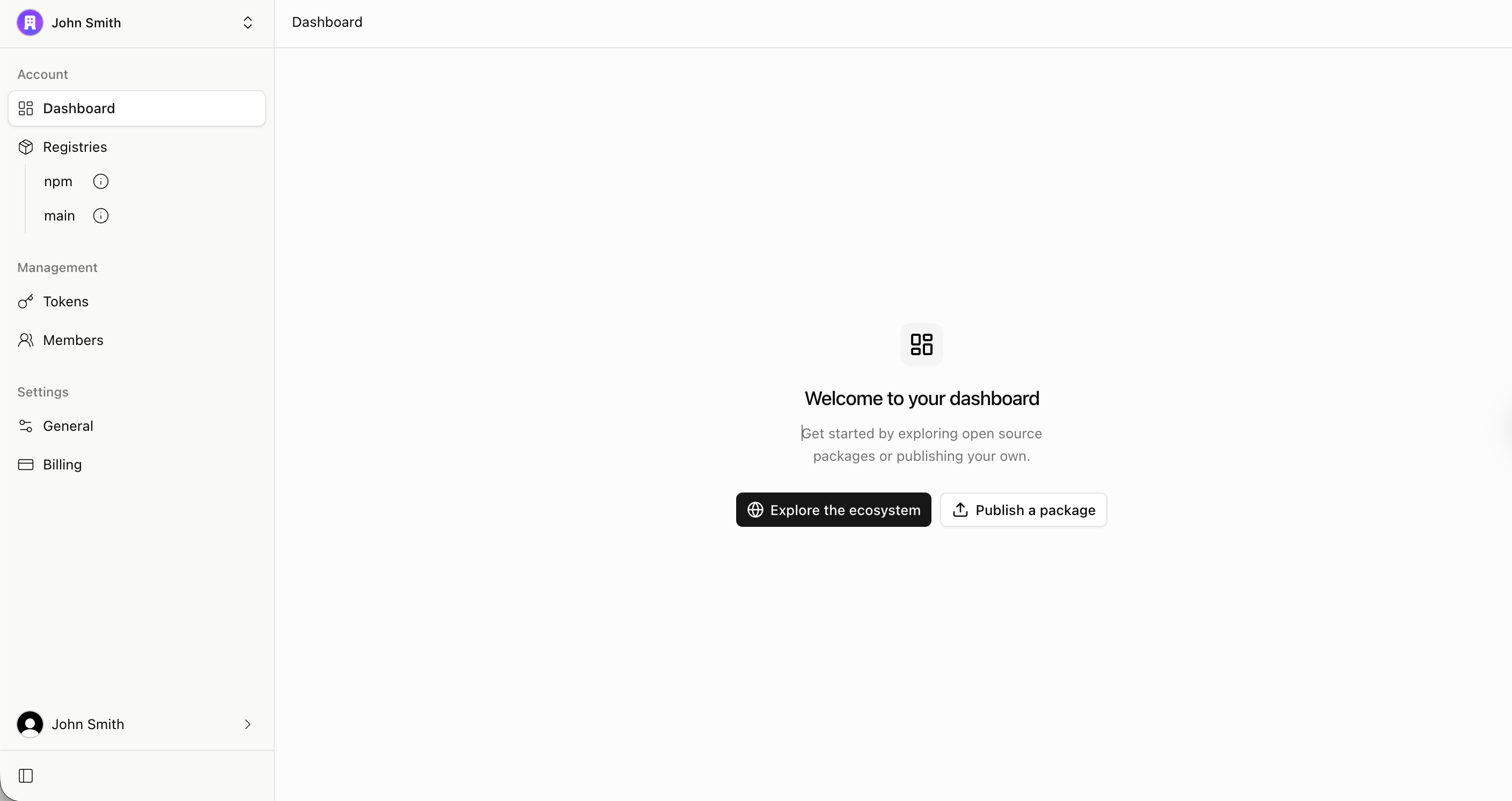
Around the dashboard
- Dashboard — an onboarding checklist for new accounts, usage at a glance, recent releases on the npm mirror, and your team’s recent publishes.
- Registries — browse the npm mirror and your private packages.
- Tokens — create, inspect, and revoke access tokens. See Authentication & Tokens.
- Members — invite people and manage their roles. See Members & Access Control.
- Settings → General — account avatar, display name, slug, and the account-wide two-factor requirement for package writes.
Registries
Every vlt account comes by default with two registries:
main— your account’s private registry, served athttps://registry.vlt.io/<account>/main/. Packages published here are scoped to your account slug (@<account>/...) and readable only by account members. See Publishing Packages.npm— a secure mirror of the public npm registry, served athttps://registry.vlt.io/<account>/npm/. It is read-only and populated fromregistry.npmjs.org, giving your installs and CI a consistent, fast source for public packages.
Accounts
An account has a display name and a slug — a unique, URL-safe identifier of lowercase letters, numbers, and hyphens, chosen during account setup.
You can belong to more than one account, and create additional accounts — for example, you can have a personal account and one per organization. Switch between them with the account switcher in the dashboard sidebar.
Installing through your registries
Point your client’s default registry at your npm mirror, and map your account scope to your private registry:
Note You don’t have to change package managers; find out how
$ vlt config set registry=https://registry.vlt.io/acme/npm/$ vlt config set scoped-registries=@acme=https://registry.vlt.io/acme/main/The npm equivalent:
registry=https://registry.vlt.io/acme/npm/@acme:registry=https://registry.vlt.io/acme/main/With that in place, public packages will resolve through your mirror
and @acme/... packages resolve from your private registry. Both
registries accept the same account token — see
Authentication & Tokens.
The Setup Instructions button in the dashboard’s Registries section generates these instructions for your account, tailored to your package manager.